One of my colleagues, Dmitry Baranovskiy, has spent his 20% time working on a cross-browser JavaScript library for manipulating vector graphics called Raphaël. The first release was announced last week, and Dmitry has been so overwhelmed with the response that he has had to move the project’s web page onto its own domain.
Nothing helps sell his library better than a quick demo. So here’s a short snippet of JavaScript that will render the favicon of this site in a vector graphic form:
var group = Raphael("favicon-demo", 120, 100).group();
group.path({stroke: "#05a", "stroke-width": "8px", "stroke-linecap": "round"})
	.moveTo(20, 80)
	.relatively()
	.lineTo(0, -50)
	.addRoundedCorner(16, "ur")
	.addRoundedCorner(16, "rd")
	.lineTo(0, 50)
	.moveTo(0, -50)
	.addRoundedCorner(16, "ur");
group.path({stroke: "#8af", "stroke-width": "8px", "stroke-linecap": "round"})
	.moveTo(82, 80)
	.relatively()
	.lineTo(0, -50)
	.addRoundedCorner(16, "ur");
And here is the generated vector image. It isn’t a screenshot or raster image – it is rendered with SVG in Firefox, Safari and Opera, and with VML in Internet Explorer:
Of course, because this appears as just an image on the page, for this example you could use many other technologies to achieve the same result. Where Dmitry’s library really proves to be useful, however, is with dynamic vector graphics on the web.
The objects generated by Raphaël are full DOM objects that can be manipulated like other elements on the page. The library provides methods to translate, scale and rotate any component of your graphic, as well as apply arbitrary matrix manipulations.
I created a demo page which shows how to do simple animations with Raphaël:
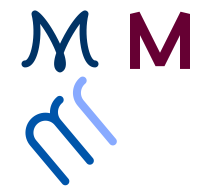
Click to see Raphaël animation demo
The demonstration animated the elements on the page when you click on them, randomly picking one of three different animations.
If you’re interested in hearing more about how to use this, and how Dmitry implemented it, he is presenting at Web Directions South in September on this topic.
This library makes many interesting things possible. I’m looking forward to experimenting some more with it, and hopefully we can use for some fancy web UI improvements at work.